
“`
A budget spreadsheet doesn’t need to look complicated to be useful. In fact, the more cluttered it is, the harder it can be to keep using it.
If you’ve ever created a detailed budget, used it for a couple of weeks, and then stopped opening it, the problem may not be your budget. The spreadsheet itself might simply be too difficult or unpleasant to use. A cleaner layout, a few simple categories, and some thoughtful formatting can make a surprisingly big difference.
Why Make Your Budget Spreadsheet Look Better?
The main goal isn’t to create the prettiest spreadsheet possible. It’s to create one that you can understand quickly and actually keep using.
When every section has a different color, the sheet is covered with borders, and there are dozens of unnecessary columns, finding one number can become a chore. A simpler design makes it easier to see where your money is going without having to work through a wall of information every time you open the file.
1. Start With a Simple Color Palette
You don’t need five different colors for five different types of expenses. Two or three complementary colors are usually enough.
For example, you could use a soft sage green for headings, a warm cream for important totals, and a very light gray for secondary information. Keep the actual cells containing your numbers mostly white so the spreadsheet remains easy to read.
If you prefer warmer colors, a muted rose and beige combination can work just as well. The particular colors matter less than keeping them consistent throughout the sheet.
2. Keep the Fonts Simple
A budget spreadsheet isn’t the place to use a different font for every section. Pick one easy-to-read font and use it consistently.
If you’re using Google Sheets or Excel, fonts such as Lato, Montserrat, Raleway, or even Georgia for headings can give the sheet a more polished appearance without making it difficult to read.
You also don’t need huge headings. A slightly larger, bold font for section titles and a smaller regular font for your transactions is usually enough to create a clear visual hierarchy.
3. Give Your Spreadsheet Some Breathing Room
One of the easiest ways to make a spreadsheet feel less overwhelming is simply to leave some space between sections.
For example, you could separate your income section from your fixed bills, and your fixed bills from your everyday spending. You don’t need to fill every row and column with information. A little empty space makes the important numbers easier to find.
4. Turn Off the Gridlines
This is a small change, but it can make a spreadsheet look much cleaner.
In Google Sheets, go to View → Show → Gridlines and turn them off. You can then add a few light borders to separate important sections or highlight totals.
Don’t add borders everywhere, though. If every cell has a thick border, you’ve essentially recreated the clutter you were trying to remove.
A Simple Layout That Works
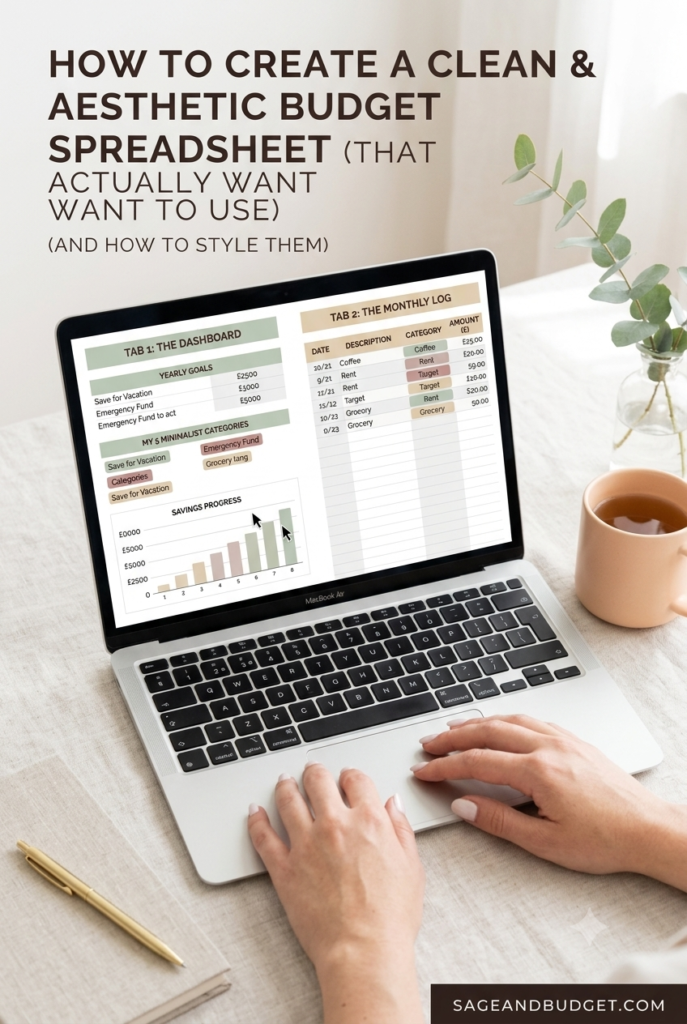
You don’t need a spreadsheet with 15 tabs to manage your monthly finances. For many people, two or three tabs are more than enough.
Dashboard
Use the first tab for the information you want to see at a glance. This could include your monthly income, total spending, savings progress, and a few financial goals.
Monthly Transactions
Your second tab can be a simple transaction log. Record the date, description, category, and amount for each expense or income entry.
Goals or Annual Overview
If you want a third tab, use it for things that don’t need to be updated every day, such as annual savings goals, debt balances, or a yearly spending overview.
Don’t Let the Design Become the Whole Project
There’s a temptation to spend hours choosing colors, moving columns around, and adding charts before you’ve even started tracking your spending.
Try not to fall into that trap. A simple spreadsheet that you update every week is much more useful than a beautiful spreadsheet that you stop using after three days.
Start with the basics: income, essential bills, everyday spending, savings, and debt payments if applicable. Once that system is working, you can add charts, progress bars, or other features that you actually find useful.
Final Thoughts
An aesthetic budget spreadsheet isn’t going to fix your finances by itself. What it can do is make the process of managing your money a little easier and less frustrating.
The best budget is usually the one you can stick with. If a clean layout, simple categories, and a few colors make you more likely to open your spreadsheet and check your spending, then they’re worth using.
Whether you prefer Google Sheets, Excel, or an old-fashioned notebook, the important part is having a system that works for you and that you can maintain over time.
Budget Template
Want to Skip the Setup?
If you’d rather spend your time tracking your money instead of formatting cells and setting up formulas, I’ve created a simple budget spreadsheet you can start using right away.
The Minimalist Sage Budget Spreadsheet includes a dashboard and monthly transaction log with a simple sage-and-cream design.
“`